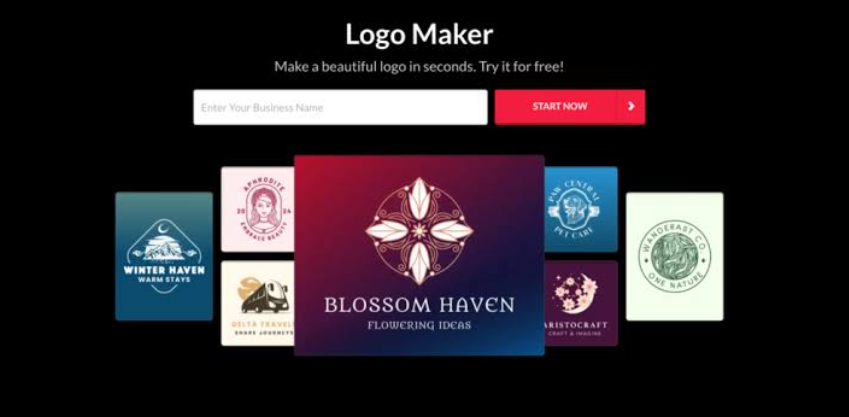
A comparative look at logo tools built for founders, marketers, and small teams who want to review several design directions before committing to one.
Why This Category Matters
A logo is often the first fixed element of a brand. It appears on a website header, a social profile, an invoice, and a storefront sign long before most other assets exist, so the choice tends to carry more weight than its small size suggests.
Producing that mark once meant hiring a designer or learning professional software. That path still has value, but a growing set of online tools now lets people assemble a workable logo in a single sitting, then adjust it as the brand develops.
The tools in this guide share one core behavior: they generate more than one design at a time. A person supplies a few details, such as a business name, an industry, and a rough style preference, and the tool returns a range of options to compare side by side rather than a single idea to accept or reject.
Adobe Express is a reasonable place to begin. It handles the common needs of most first-time logo builders, stays approachable for people without a design background, and connects the finished mark to a wider set of content tools. The sections below place it alongside five other services, each with a clearer fit for a narrower situation.
Comparing the Top Logo Makers of 2026
The order reflects general applicability rather than a fixed hierarchy: tools suited to a broad audience appear earlier, and those built around a specific workflow appear later, framed by the situation they fit best.
Best Logo Creator for Exploring Multiple Styles Quickly
Adobe Express
Suited to first-time brand builders and small teams who want to see several design directions and keep working with the result across other formats.
Overview
Adobe Express, formerly Adobe Spark, includes a free logo maker that works from a template-and-icon approach. A person enters a business name, picks an icon from Adobe’s stock library, and selects from generated layouts, then adjusts colors, fonts, and placement. It also carries generative features powered by Adobe Firefly and access to the Adobe Fonts library. Its wider purpose is content creation, so a logo made here can move directly into flyers, social posts, and other assets within the same workspace.
Platforms supported
Web browser, plus iOS and Android apps.
Pricing model
Free logo creation, with a paid Premium subscription that unlocks additional templates, fonts, and stock assets.
Tool type
All-in-one content platform with a built-in logo generator.
Strengths
- Generates several layout variations from a small amount of input, which supports side-by-side comparison.
- Access to Adobe Fonts and a large stock library, a depth most standalone logo tools do not match.
- Brand kit storage that keeps a logo, colors, and fonts in one place for reuse across later projects.
Limitations
- Icons come from Adobe’s shared stock library, so a mark may resemble others built from the same elements.
- The platform does not export SVG vector files, which some print and development workflows expect.
- The breadth of features can add a short learning curve for someone who only wants a logo.
Adobe Express fits a wide slice of the audience described in this guide. It asks for little upfront knowledge, returns options rather than a single result, and lets a person refine them in place. Its second advantage is continuity: because the same tool produces social graphics, documents, and short videos, the mark can carry into those assets through a stored brand kit rather than being rebuilt each time.
The tradeoffs are worth stating plainly. The shared icon library limits how distinct a symbol can be, and the absence of vector export matters for anyone who needs scalable files. For a person who wants a quick, adjustable mark and a place to reuse it, those constraints are manageable; for someone who needs a fully unique symbol or specific formats, a more specialized option below may fit better.
Compared with the others here, Adobe Express sits toward the generalist end, doing many things adequately rather than one thing exhaustively, which is often what an early-stage brand needs.
Best Logo Creator for Template-Driven Design With Collaboration
Canva
Suited to people who want broad creative control and expect to keep using the same tool for ongoing marketing content.
Overview
Canva is a general design platform with a dedicated logo feature. Rather than automating the design, it hands the person a template and full editing control over every element. The same account covers social graphics, presentations, print materials, and video, so the logo is one output among many, and its free tier is unusually capable for design work beyond the initial mark.
Platforms supported
Web browser, plus desktop apps and iOS and Android apps.
Pricing model
Freemium. A functional free tier plus a Canva Pro subscription, typically in the range of roughly $13 to $15 per month, that adds assets and brand controls.
Tool type
Broad design platform with manual logo templates.
Strengths
- Fine-grained control over color, type, spacing, and layout, closer to manual design than automated generation.
- A free tier that remains useful for social posts and marketing assets after the logo is done.
- A single subscription that covers a wide content workload, not only branding.
Limitations
- Its automated logo generation is lighter than tools built specifically for that task.
- Its brand kit is less structured than tools designed around brand identity first.
- Manual editing means more decisions, which can slow down someone who wants a fast result.
Canva fits a person who values flexibility over automation. Because the workflow starts from a template and expects hands-on editing, it rewards someone willing to make design choices themselves. That control is its defining trait.
The value case strengthens when the logo is only part of the picture: a person who designs posts, decks, and flyers regularly gets one tool for all of it, spreading the subscription cost across many tasks.
Conceptually, Canva sits between the generalist reach of Adobe Express and the focused automation of the AI-first tools below, offering more manual freedom than either at the cost of a slower path to a finished mark.
Best Logo Creator for AI-Generated Concepts With Minimal Input
Looka
Suited to founders who want the software to make the initial design decisions and return polished concepts fast.
Overview
Looka, formerly Logojoy, uses machine learning to generate logo concepts from a business name, industry, and style and color preferences. It typically returns dozens of options in one pass, then allows edits within its editor and can assemble a brand kit with items such as business cards and social templates. Its model lets a person design at no cost and pay only to download the result.
Platforms supported
Web browser.
Pricing model
Free to design, paid to download. One-time logo packages, commonly around $20 for a basic PNG and roughly $65 for a full multi-format set, plus an annual brand kit subscription.
Tool type
AI-driven logo and brand identity generator.
Strengths
- Produces a large batch of concepts from minimal input, which reduces early decision fatigue.
- Draws from curated font and icon libraries, so results stay clean and logo-appropriate.
- Offers a complete file set and a brand kit for people who want assets beyond the mark itself.
- The design-first, pay-later structure lets a person judge the output before spending anything.
Limitations
- There is no free download; a usable file requires a purchase.
- Customization is narrower than manual tools, with limited control over exact color values.
- Because icon elements are shared across many users, icon-based marks can be harder to register as trademarks.
Looka fits a person who would rather react to options than build from scratch. The workflow front-loads generation, so the first screen already shows a wide spread of directions. For someone short on time or design confidence, that is the appeal.
The pay-to-download model deserves attention. Designing is free, but the file a printer or website needs sits behind a purchase, so the free experience is a preview rather than a complete result.
Set against the tools above, Looka trades breadth for focus. It produces a brand identity quickly and then steps aside, which suits a founder who wants the logo settled and intends to handle other assets elsewhere.
Best Logo Creator for Founders Planning a Website Alongside the Brand
Wix Logo Maker
Suited to solo founders and small business owners who expect to build a website and want the branding to connect to it.
Overview
Wix Logo Maker guides a person through a short setup, business name, optional tagline, industry, and style preferences, then returns a broad set of options, often more than a hundred, with room for unlimited edits. Because it sits inside the wider Wix ecosystem, the resulting mark can flow into a Wix website and related assets. Creation is free; downloading production-ready files requires payment.
Platforms supported
Web browser and mobile app.
Pricing model
Free to design, paid to download. Both per-download and subscription options exist, with an entry paid plan around $7.50 per month.
Tool type
AI-guided logo maker tied to a website builder.
Strengths
- Returns a large volume of options, giving many directions to compare in one session.
- Direct connection to Wix’s website and content tools for a consistent brand across a site.
- Unlimited edits during the design stage before any download.
Limitations
- Finished files sit behind a payment, so the free stage is design-only.
- It is not built for the pixel-level control a professional designer may want.
- Its strongest fit is for people already using or planning to use Wix, which narrows its general appeal.
Wix Logo Maker fits a person for whom the logo and the website are one project. The tighter that connection, the more sense it makes, since branding and site can share a single environment.
Its guided setup lowers the entry barrier: a person answers a few prompts and receives a wide field of options rather than an empty editor, favoring speed over granular control.
Relative to the broader platforms above, Wix Logo Maker is more situational: it rewards a specific plan, launching a website, more than it serves as a standalone design tool.
Best Logo Creator for Bundling Branding With Business Setup
Tailor Brands
Suited to new business owners who want branding and formation tasks handled in one place.
Overview
Tailor Brands pairs an AI logo maker with services aimed at starting a business, including formation support and a basic website builder. The logo flow is familiar: enter a name and industry, choose a style, and review generated designs. What sets it apart is scope, positioning the logo as one step within a wider set of startup tasks rather than a standalone product.
Platforms supported
Web browser and mobile app.
Pricing model
Subscription-based, with entry branding plans commonly in the range of roughly $10 to $20 per month, and additional business-service add-ons.
Tool type
Branding and business-services platform with an AI logo maker.
Strengths
- Combines logo creation with business formation and brand assets in a single account.
- A guided setup that produces several design options from basic inputs.
- Additional brand materials, such as decks and social files, on higher tiers.
- Suits people who want to reduce the number of separate services they manage.
Limitations
- User feedback often cites confusion around subscription renewals and recurring charges.
- Its website builder is less flexible than dedicated website platforms.
- The bundled model can include services a logo-only user does not need.
Tailor Brands fits a person setting up a business from scratch who values consolidation. The branding side generally draws steadier praise than the administrative side, so the logo experience itself tends to meet quick-and-easy expectations.
The subscription structure is the main caution. Because branding is tied to ongoing services, costs continue over time, and reviews frequently mention billing surprises, so reading the plan details closely is prudent.
Among the tools here, Tailor Brands is the most bundled, less a logo maker than a startup toolkit that includes one. For a person who only wants a mark, that breadth is more than needed; for someone forming a company, it may be the point.
Best Complementary Tool for Putting a Logo to Work
Buffer
Suited to a person or small team who has a finished logo and needs to publish branded content across social channels.
Overview
Buffer is a social media management tool, not a logo maker. It earns a place here because a logo’s early life is largely spent on social profiles, and a tool that schedules those posts complements the design work rather than competing with it. Buffer handles scheduling, basic analytics, and a content queue across multiple platforms, giving a new brand a place to apply its mark consistently after the design stage ends.
Platforms supported
Web browser, plus iOS and Android apps and a browser extension.
Pricing model
Freemium. A free plan covers a few channels; paid plans are priced per channel, with Essentials around $5 to $6 per channel each month and Team around $10 to $12 per channel each month.
Tool type
Social media scheduling and management platform.
Strengths
- A genuinely usable free plan for someone managing a small number of accounts.
- Per-channel pricing, so cost tracks the number of profiles rather than the number of users.
- Support for a wide range of social platforms from one dashboard.
Limitations
- Per-channel pricing can rise quickly for anyone managing many accounts.
- It lacks social listening and the deeper analytics some larger teams expect.
- It is a distribution tool, so it does nothing for the logo design stage itself.
Buffer fits the stage that follows logo creation. Once a mark exists, it needs to appear somewhere, and social channels are usually first. A scheduling tool keeps that rollout organized without pulling a person back into design software.
Its free plan is approachable for a brand at the very start, when posting volume is low. As the account list grows, the per-channel model becomes the main cost consideration, and larger operations may weigh it against tools with broader analytics.
Included as a complement rather than a rival, Buffer rounds out the picture: the other tools produce the logo, and this one helps a brand use it.
Frequently Asked Questions
What makes a logo tool “user-friendly” for someone without design experience?
Ease of use here comes down to how little a person needs to know before starting. The friendlier tools ask for a few plain inputs, a business name, an industry, and a rough style, then handle the layout automatically. They also present ready-made options rather than an empty canvas, so the first task is choosing among designs instead of creating one. Guided, step-by-step flows reduce the decisions a beginner faces at once. Adobe Express, Wix Logo Maker, and Tailor Brands lean on this model, while Canva asks for more hands-on input in exchange for more control.
How do these tools generate multiple design options, and how many is typical?
Most services combine a person’s stated preferences with a library of fonts, icons, and layout patterns to assemble several variations at once. AI-driven tools such as Looka and Wix Logo Maker take a small set of inputs and return a large batch of concepts, sometimes forty or more and occasionally over a hundred. Template-based tools such as Adobe Express and Canva instead offer many starting templates that a person adjusts. Either way, the tool shows a range rather than a single answer, which is what lets someone compare directions side by side instead of committing early.
Do free logo tools let a person download usable files, or is payment usually required?
This varies by tool, and the difference matters. Some platforms let a person design and download a basic file at no cost, while others make designing free but place the finished file behind a purchase. Adobe Express offers free creation and download, with paid tiers that add assets. Canva provides a free tier that covers many needs. Looka and Wix Logo Maker, by contrast, follow a design-free, pay-to-download model, so the free stage is effectively a preview until a person buys the file. Checking whether download is included, and in which formats, is a practical step before settling on a tool.
How do template-based tools differ from AI-generated tools when producing options?
Template-based tools start from pre-built designs a person customizes by hand, giving more direct control but asking for more decisions. AI-generated tools build fresh combinations from a person’s inputs, which is faster and needs less design judgment but offers narrower control over details such as exact color values. Neither is inherently better; they suit different working styles. Someone who wants to shape every detail may prefer the template model in Canva or Adobe Express, while someone who wants the software to propose directions may prefer the generative model in Looka or Wix Logo Maker.
Can a logo made with these tools be used commercially or trademarked?
In most cases a paid logo package from a reputable service includes commercial usage rights, though terms differ by tool and plan, so reading the license first is sensible. Trademark eligibility is a separate, more complicated question. Because several of these tools draw icons from shared libraries, an icon-based mark can be harder to register, since it may resemble others built from the same elements; text-based wordmarks tend to be more distinct and more registrable. None of these platforms provide legal advice, and trademark rules vary by region, so anyone for whom brand protection is a priority should consult a qualified trademark professional.